

The ERS-210's back sensor external plastic, when pushed down, is actually pushing onto this tiny black nib button. It is essential that this nub is pushed in by the external plastic otherwise it will not function. The size means there is not much margin for error, so things like the external plastic not being able to be depressed all of the way or the board not being perfectly flat means it will not register petting.
ERS-210の背面センサーの外側のプラスチック部分は、押し下げると、実際にはこの小さな黒いペン先ボタンに接触します。この突起部分が外側のプラスチック部分で押し込まれていないと機能しません。サイズが大きいため、誤差が生じる余地がほとんどなく、外側のプラスチック部分を完全に押し込めなかったり、ボードが完全に平らでなかったりすると、ペッティングが認識されません。
Check the Board Placement
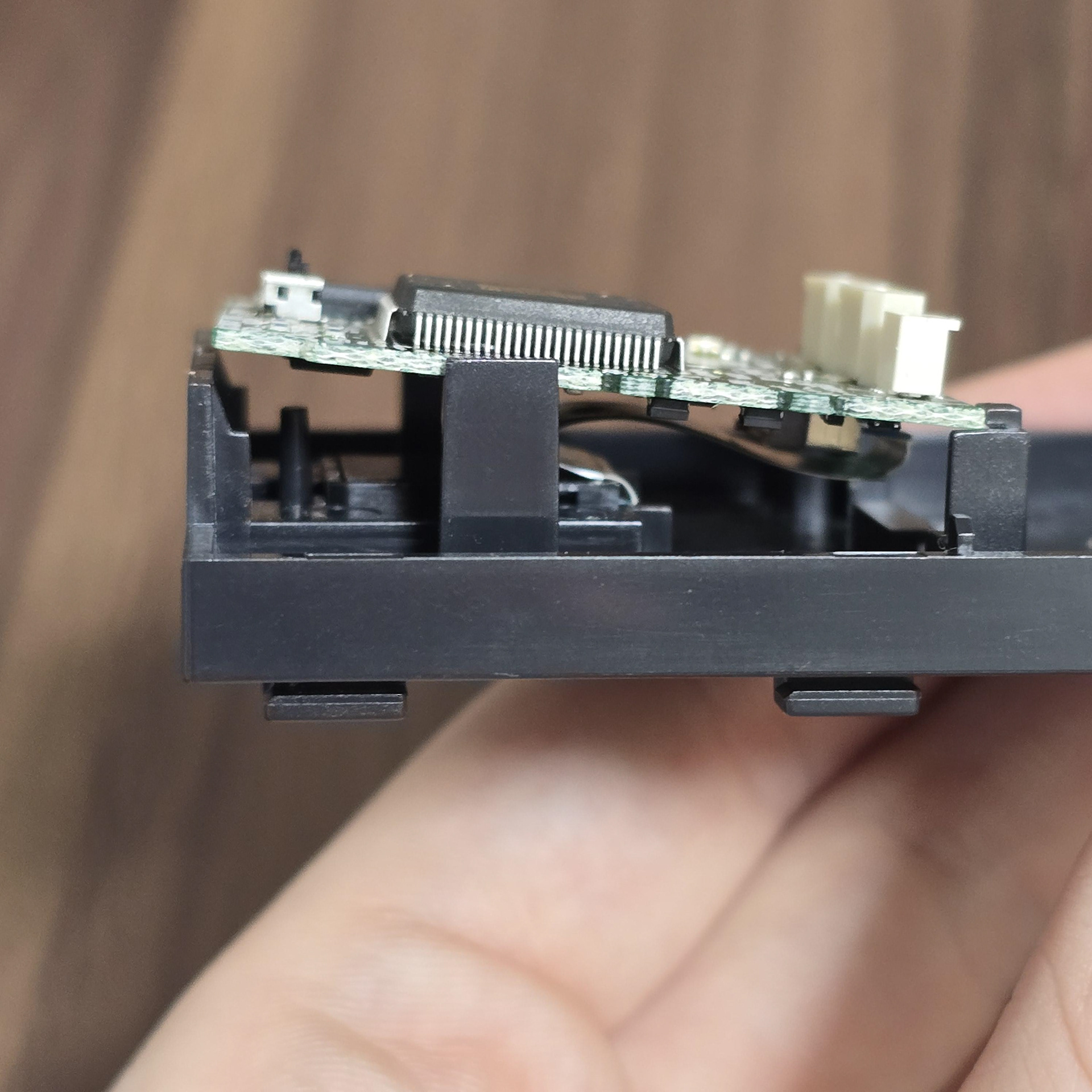
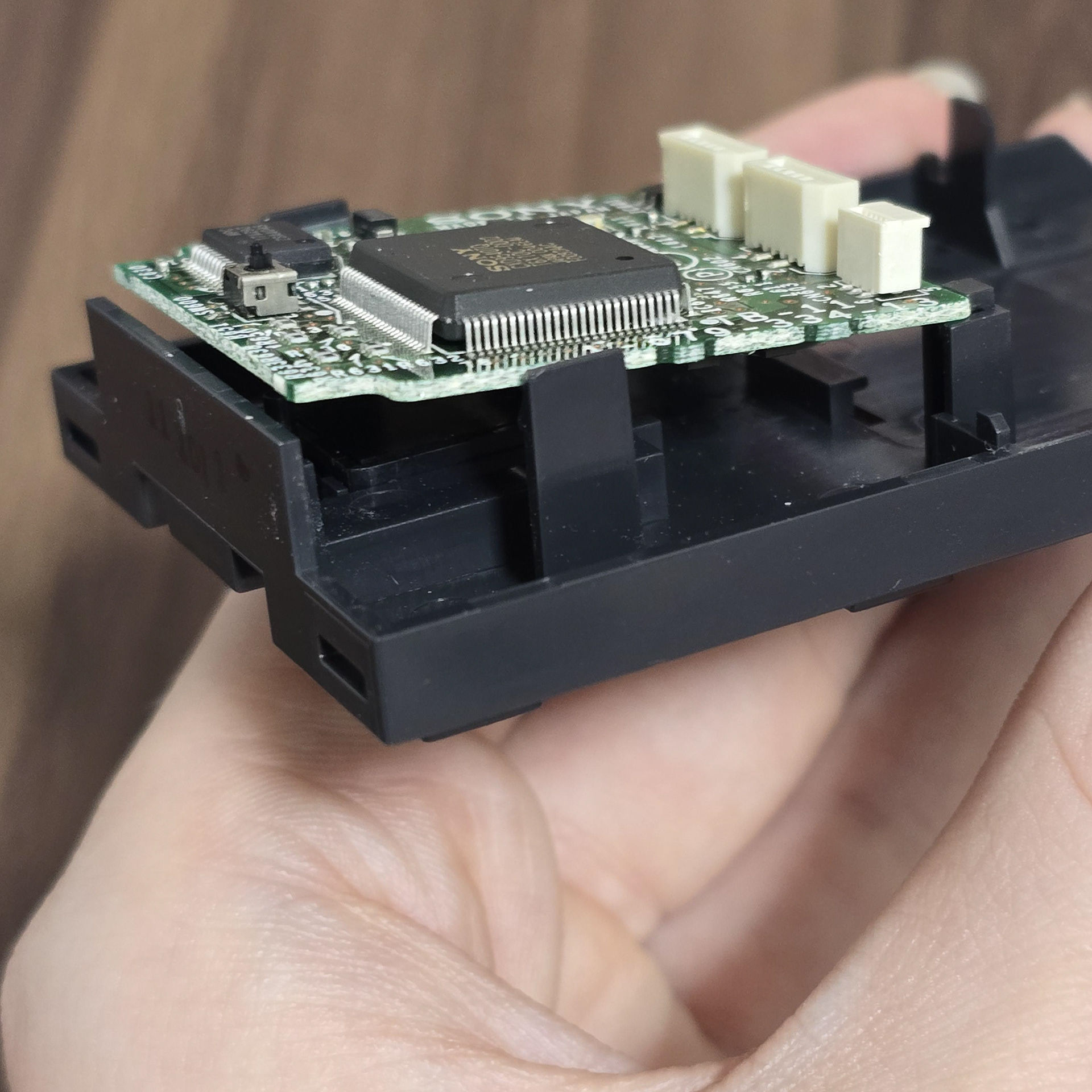
Above is an example of bad board placement. Sometimes in shipping the vibrations can make the board jump out of its retaining tabs and the small button sensor no longer becomes engaged with the back button when it is pressed down.
上記は基板の配置が不適切な例です。輸送中の振動により基板が固定タブから外れ、小さなボタンセンサーが「戻る」ボタンを押しても反応しなくなることがあります。
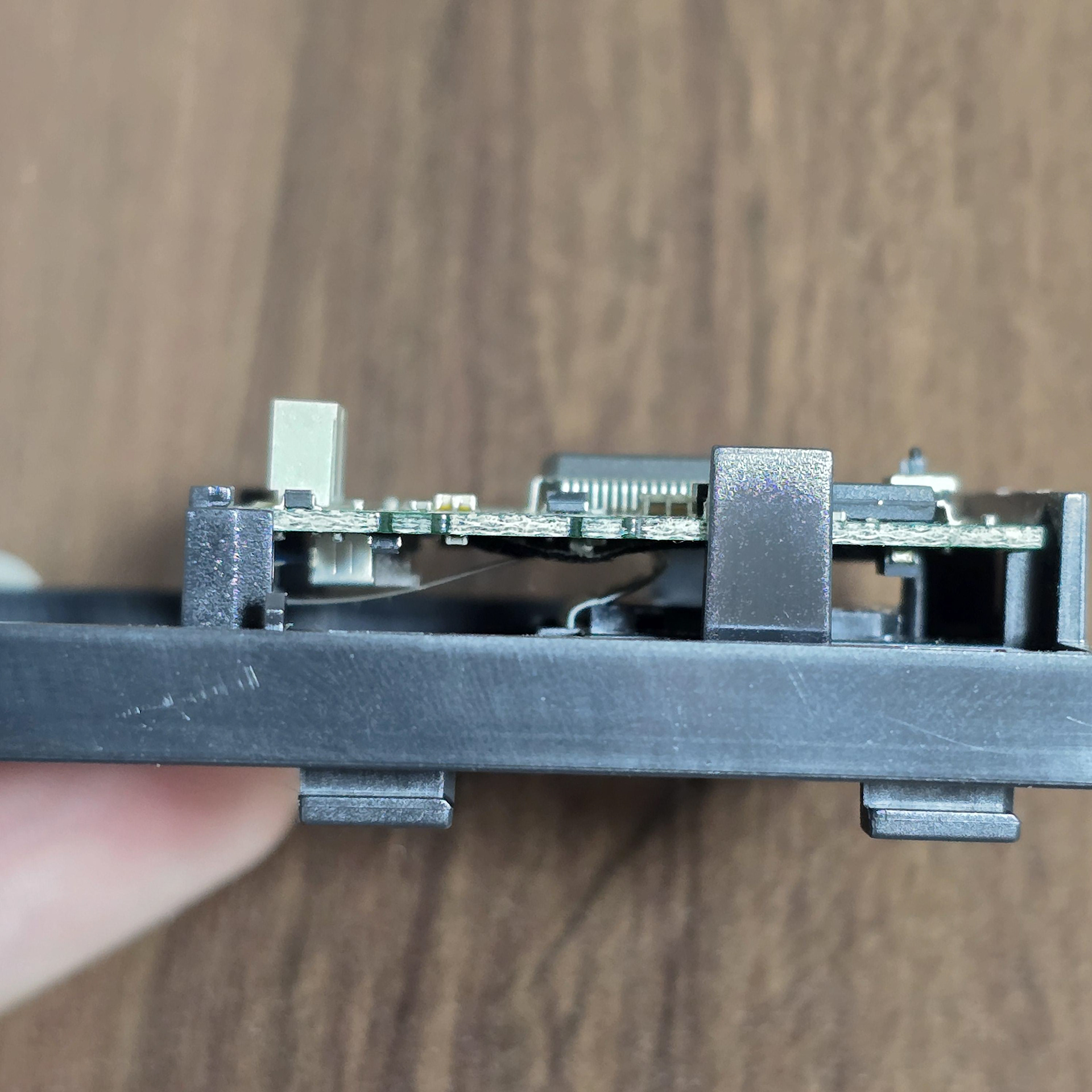
Correct Board Placement
The board should sit flat like seen on the left. Held in place by all plastic pegs positioned around the board.
ボードの正しい設置方法
ボードは左の写真のように平らに設置する必要があります。ボードの周囲に配置されたすべてのプラスチック製のペグで固定してください。
Check the flexi cable under the board
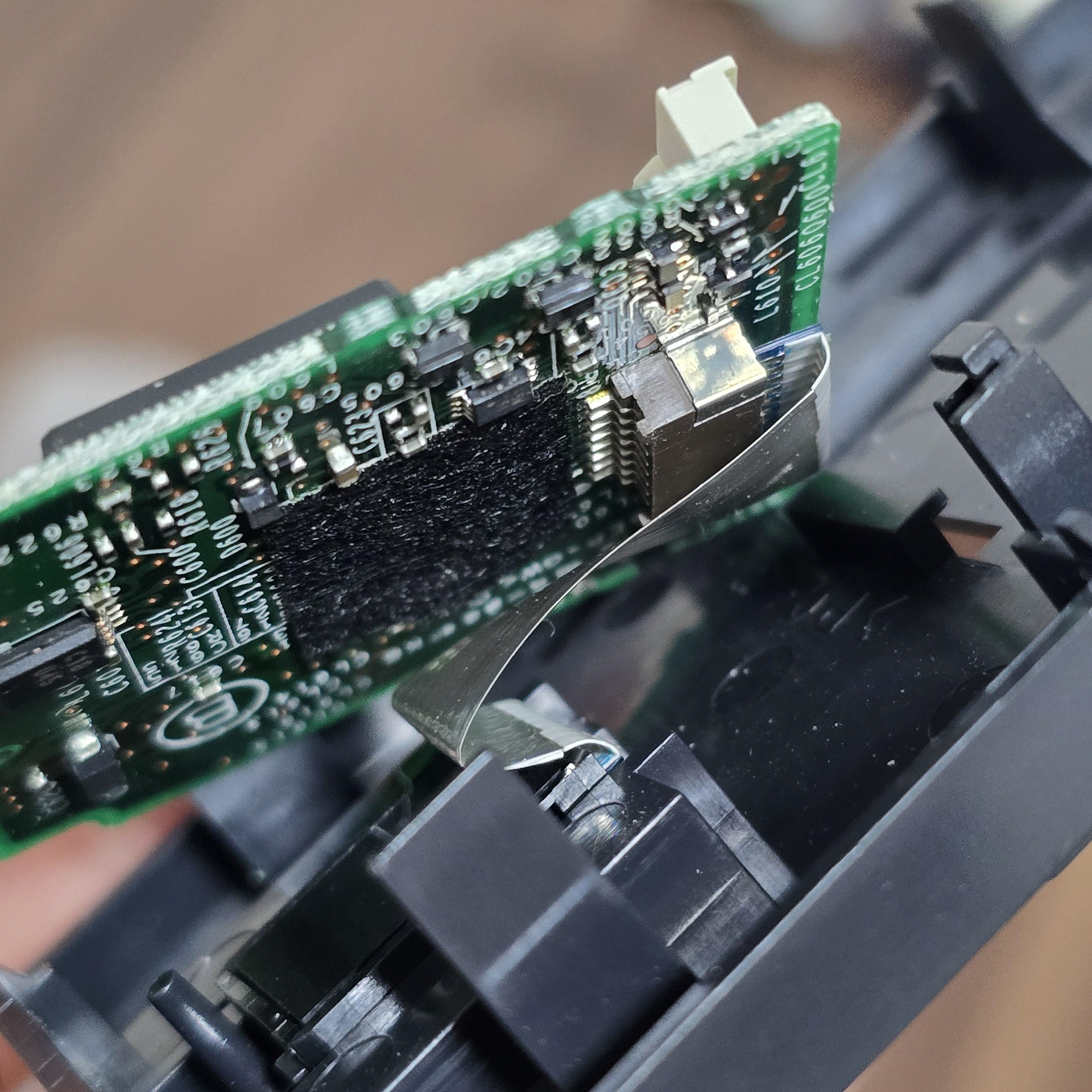
If checking the board's position doesn't work, then check the flexi cable situated under the board. It might be that it is loose, so reinserting it may solve the issue.
ボードの位置を確認しても問題が解決しない場合は、ボードの下にあるフレキシケーブルを確認してください。ケーブルが緩んでいる可能性がありますので、差し込み直すと問題が解決する可能性があります。