Sometimes a problem arises with the ERS-1000 over time where the power button becomes less responsive, non-responsive or causes the aibo to randomly power on. From experience, it seems to be a easily remedied issue without the need to send the aibo for repair or take the aibo apart.
ERS-1000は、時間の経過とともに、電源ボタンの反応が鈍くなったり、反応しなくなったり、aiboが突然電源が入ったりするといった問題が発生することがあります。経験上、これはaiboを修理に出したり分解したりすることなく、簡単に解決できる問題のようです。
Anatomy of the ERS-1000 Power Button
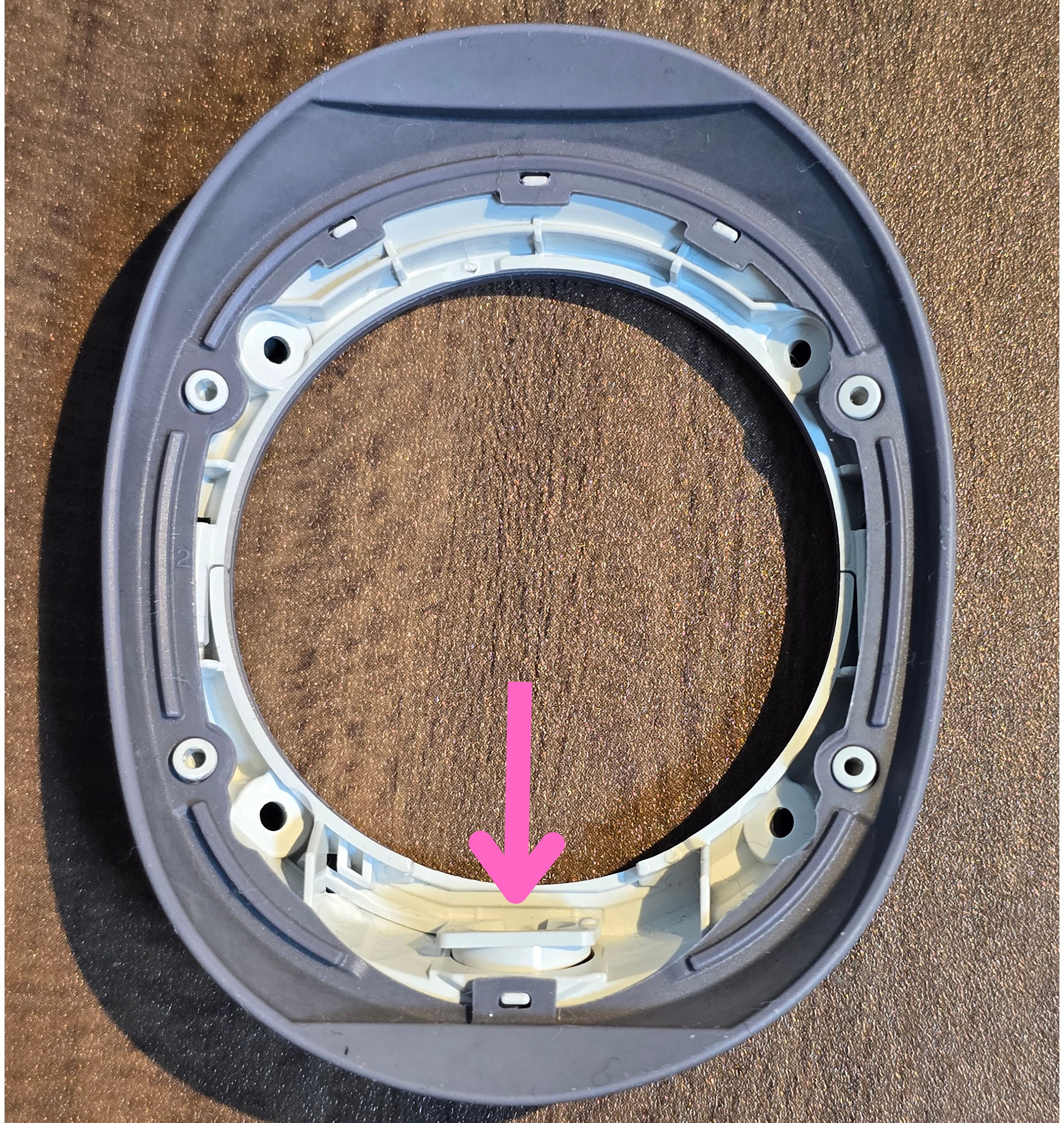
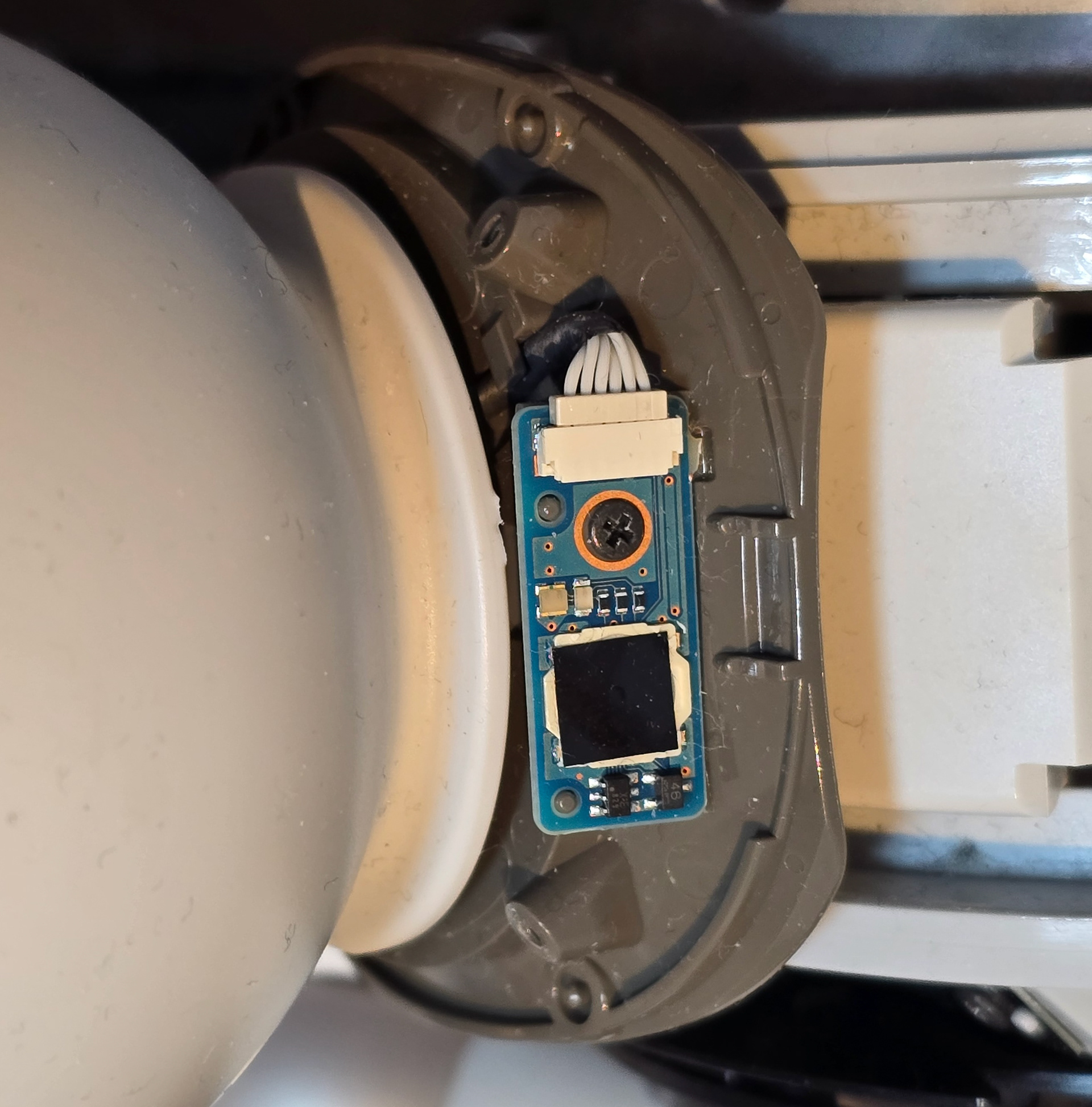
The power button is a simple board screwed to the grey neck plastics that sit under the plastic collar ring mount and rubber collar cover. The button is under the back square sticker and gets pressed in by a plastic piece when you push the neck button.
電源ボタンは、プラスチック製の首輪リングマウントとゴム製の首輪カバーの下にある灰色のプラスチック製の首輪部分にねじ止めされたシンプルな基板です。ボタンは背面の四角いステッカーの下にあり、首輪ボタンを押すとプラスチック製の部品によって押し込まれます。
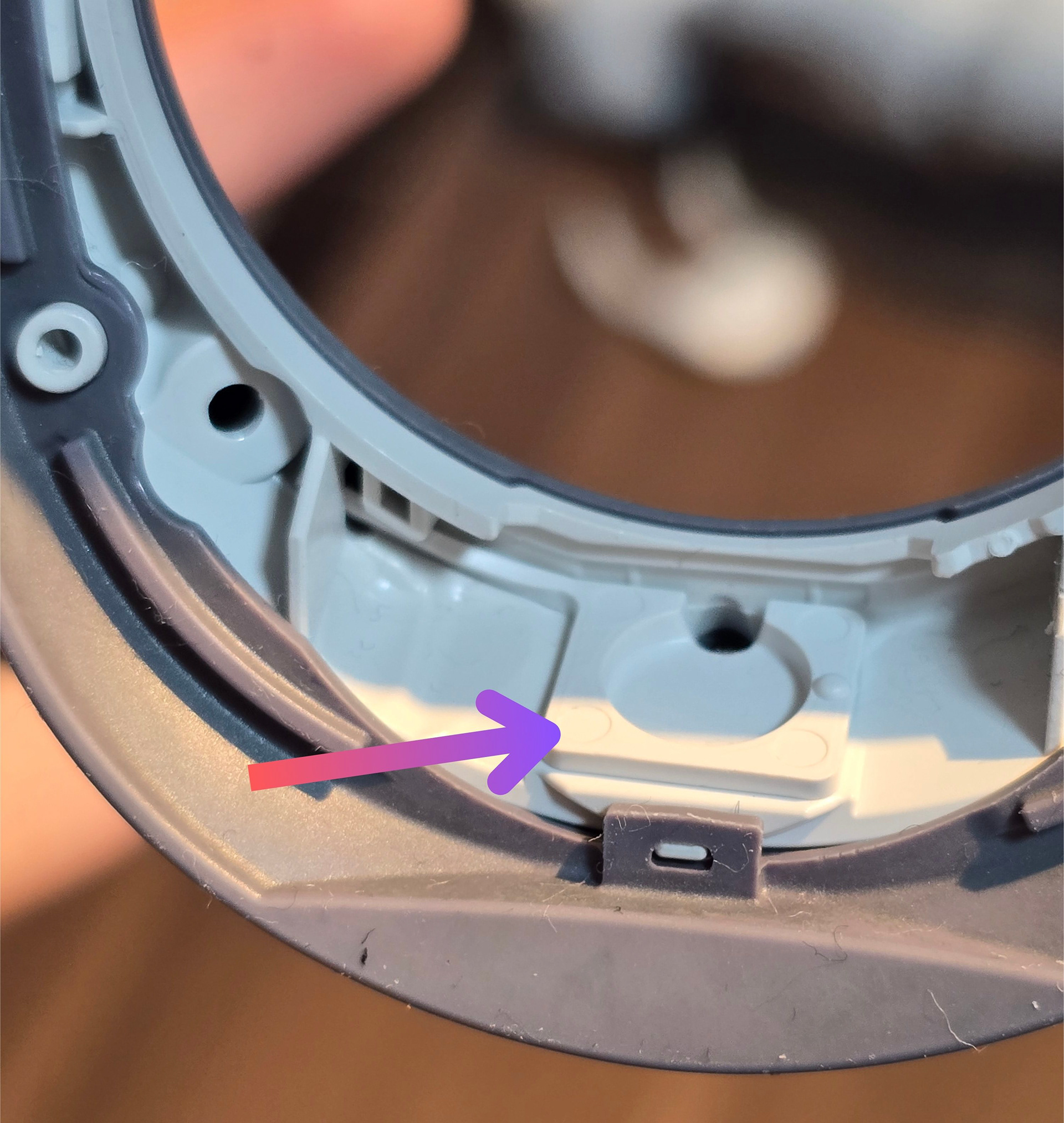
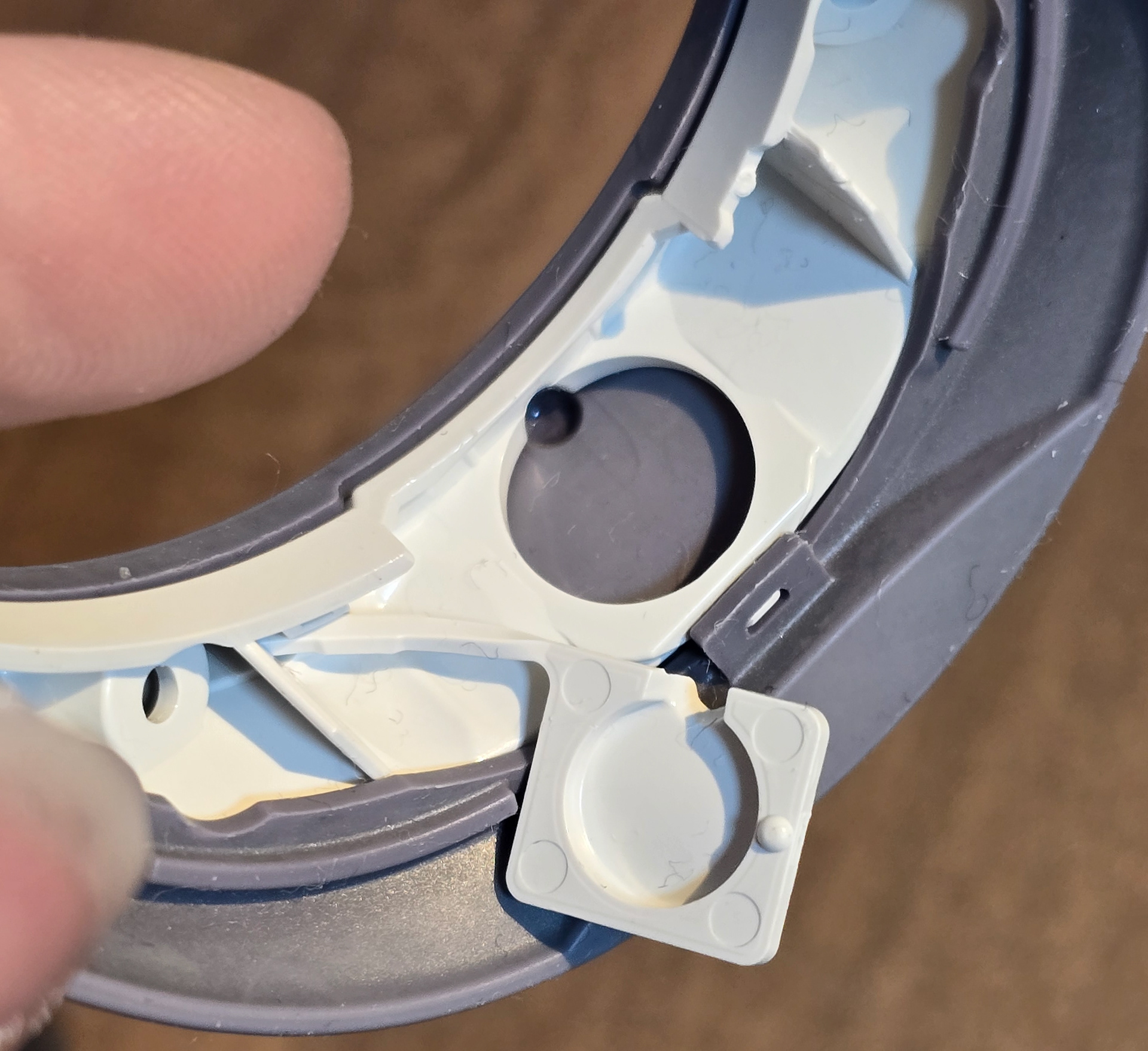
Because the plastic button part relies on a the outer rubber collar to be pushed in and advance it forward to strike the actual button, if this rubber becomes slightly misaligned, then it can make it harder or impossible for the physical button underneath to be pressed in correctly and for the press to be registered.
プラスチックのボタン部分は、外側のゴム製のカラーを押し込んで前方に進め、実際のボタンに当たるようになっているため、このゴムが少しでもずれると、その下の物理的なボタンを正しく押し込むのが難しくなったり、押したことが認識されなくなったりすることがあります。
How to Remedy (Thing to Try) / 対処法(試してみること)
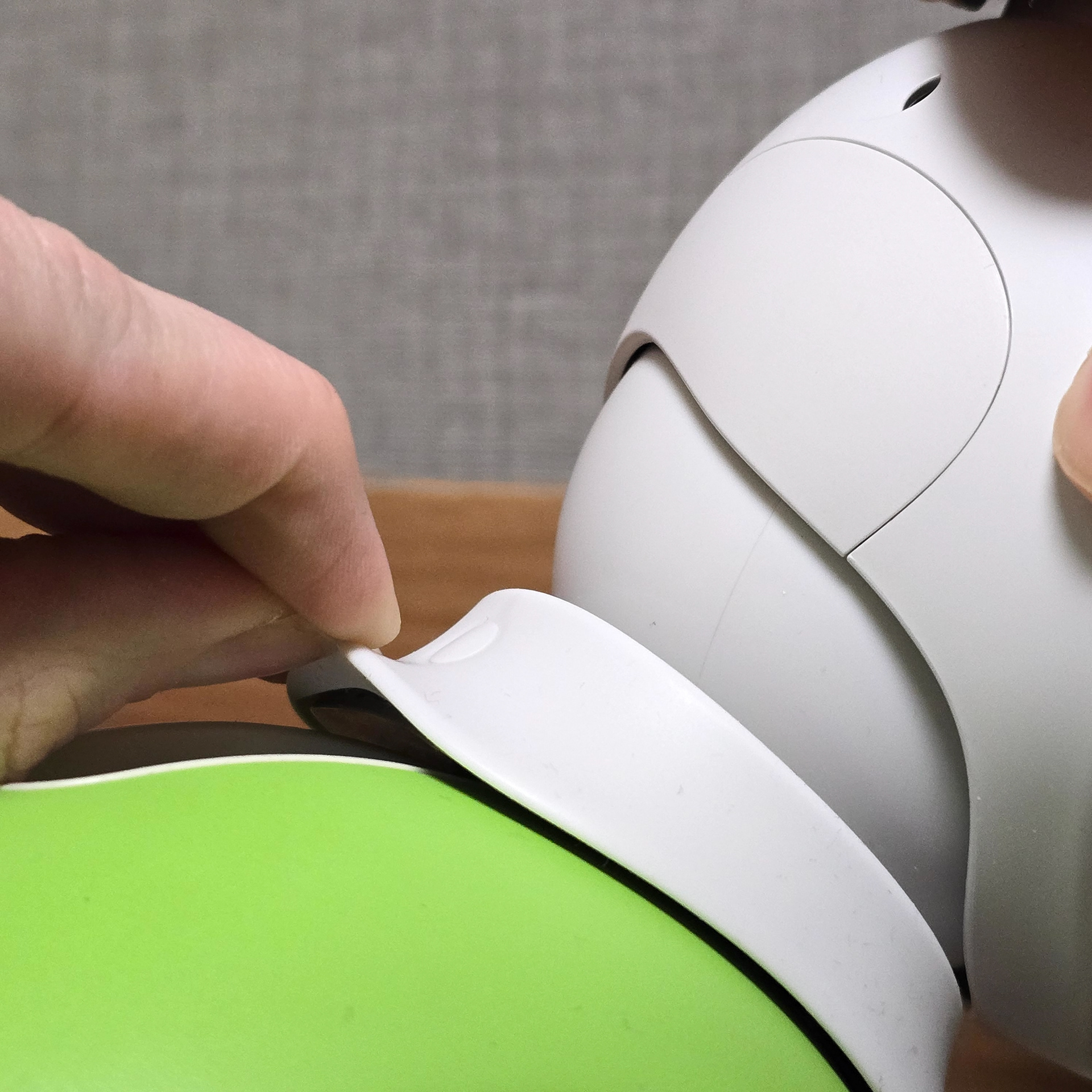
I find that grabbing onto the outer rubber and stretching it up and back can help reseat everything into the correct position and for the button press registration to improve.
外側のゴムを掴んで上と後ろに伸ばすと、すべてが正しい位置に再配置され、ボタンの押下登録が改善されることがわかりました。
<<<<